
DMS
Tools | DMS
The document management section discusses how documents are handled by the integrated document management system in eserp.
A document management system is a database supported system for managing documents. The document management system in eserp was designed to allow a unified system of document storage for all business transactions in eserp.
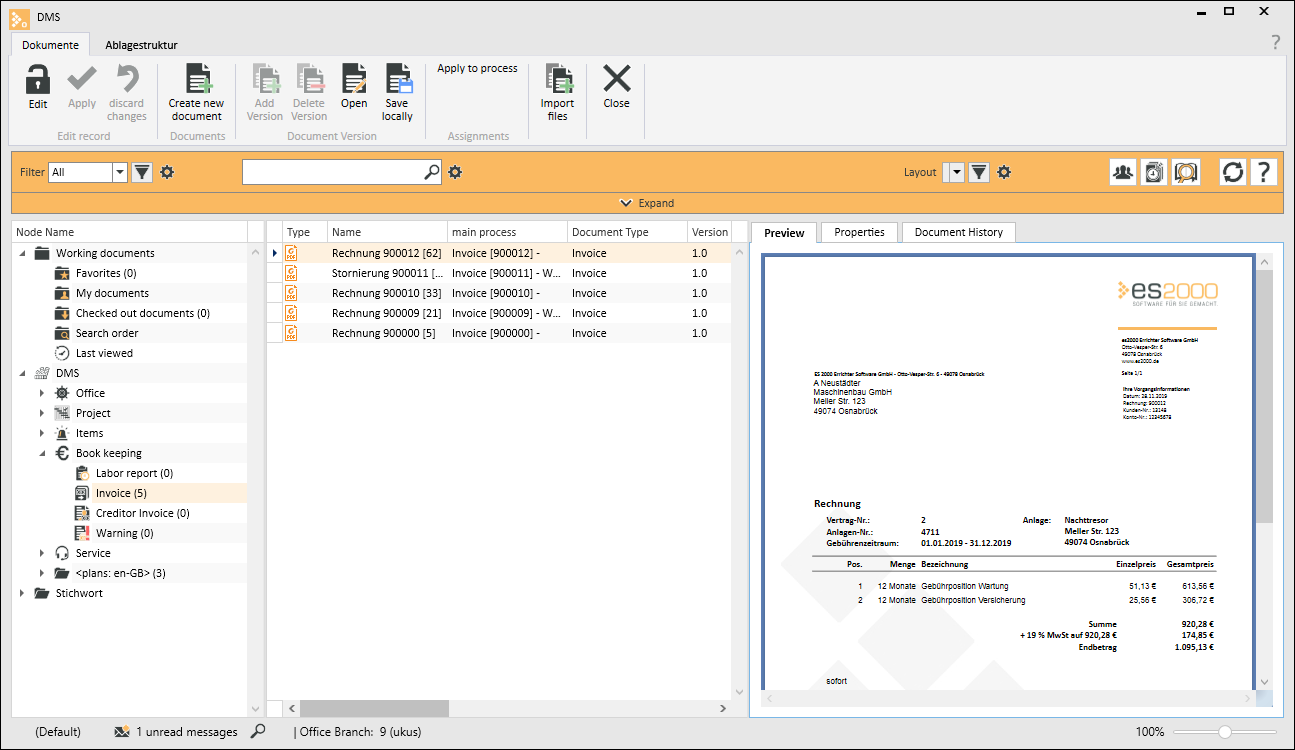
A document can enter the DMS in three ways:
- By printing a report, if the option With DMS storage is activated for the report in Report management.
- Through a new contact in Contact management (Example: When you import an email, the attached files are stored in the DMS when the contact is created.)
- By manually adding a document
- in a process = Addresses (direct process assignment or contact to process)
- in a process = Addresses (miscellaneous / Contact)
- in the free folder area of the DMS module
To be able to view all the documents generated in the DMS, you must have an existing connection to the es Business server on which the DMS was configured.
 DMS - What is a document~?
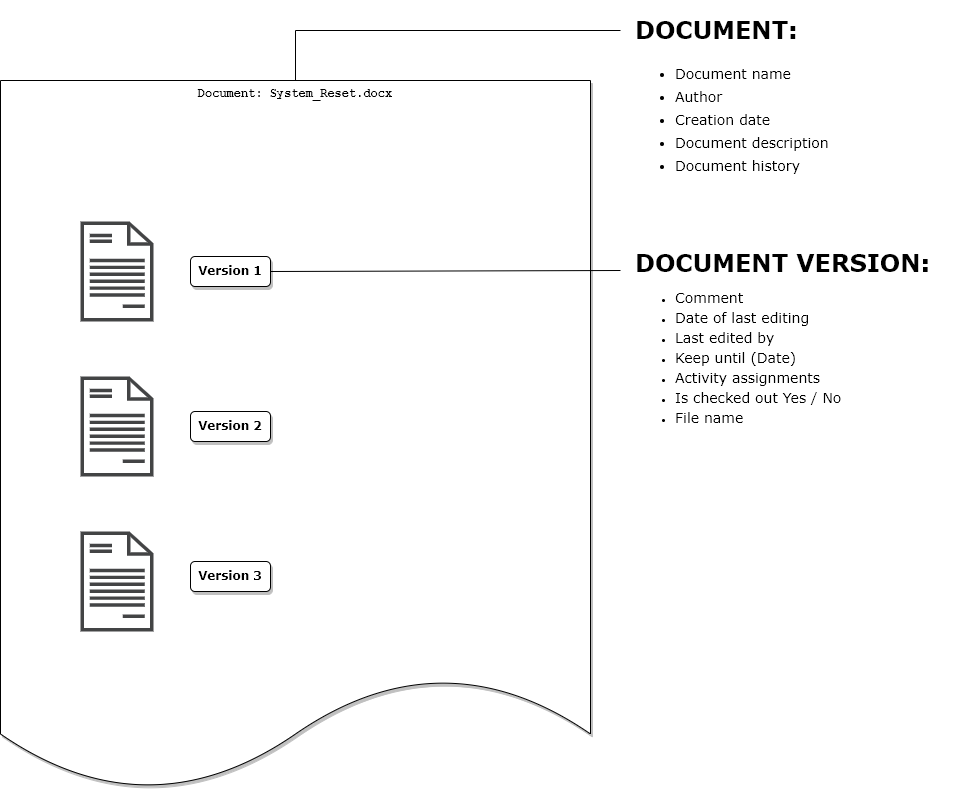
A document consists of the document header (document) and separate versions of it (document versions)
The separate document versions can be assigned to one or more processes.
A document version represents a physical file, i.e. there is a separate physical file for each document version.
A document can be saved from various points in eserp with or without reference to a process.
Document properties
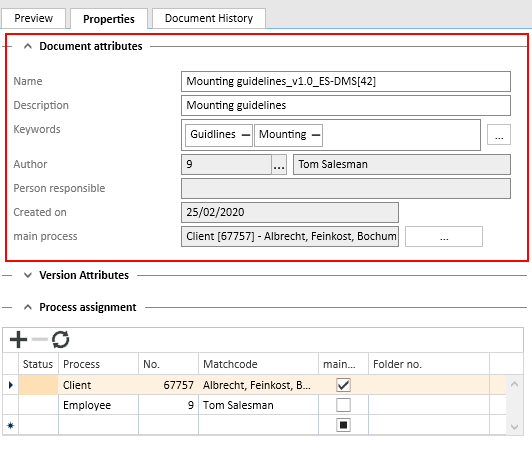
|
Field |
Description |
|---|---|
|
Name |
Document name |
|
Description |
Brief description of the document |
|
Author |
User who created the document |
|
Creation date |
Date when the document was recorded in the DMS (not the actual creation date of the physical file). |
|
Main process |
The process assigned to the document (and all its associated versions) |
Version properties
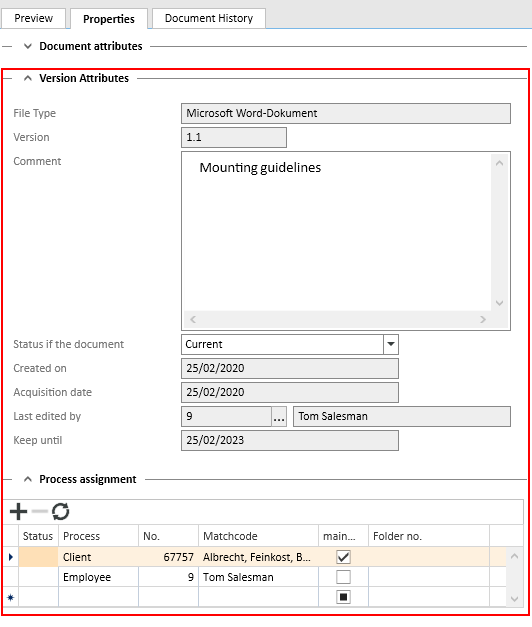
|
Field |
Description |
|---|---|
|
Comment |
Field where you can record any changes or further comments about the new version. |
|
Creation date |
Actual creation date of the physical file or the creation date entered manually when the file is loaded. |
|
Date added |
Date when the selected version was recorded in the DMS, i.e. when the physical file was uploaded to the DMS (not the actual creation date of the physical file). |
|
Last edited by |
User who created / edited the selected version. |
|
Keep until |
Life time of a document version. The document cannot be deleted before the keep until date has been reached. The keep until date can be changed so that the document version can be deleted only if you have the corresponding authorization. This does not include printed documents. |
|
Process assignment |
Version specific process assignments The main process on which the document is based is also listed here. |